


Dynamic DelaySidechain Delay Plugin.
Exactly what it says — a dynamic delay plugin. Internal self-ducking keeps your delays clear and your original signal punchy. Perfect for vocals.
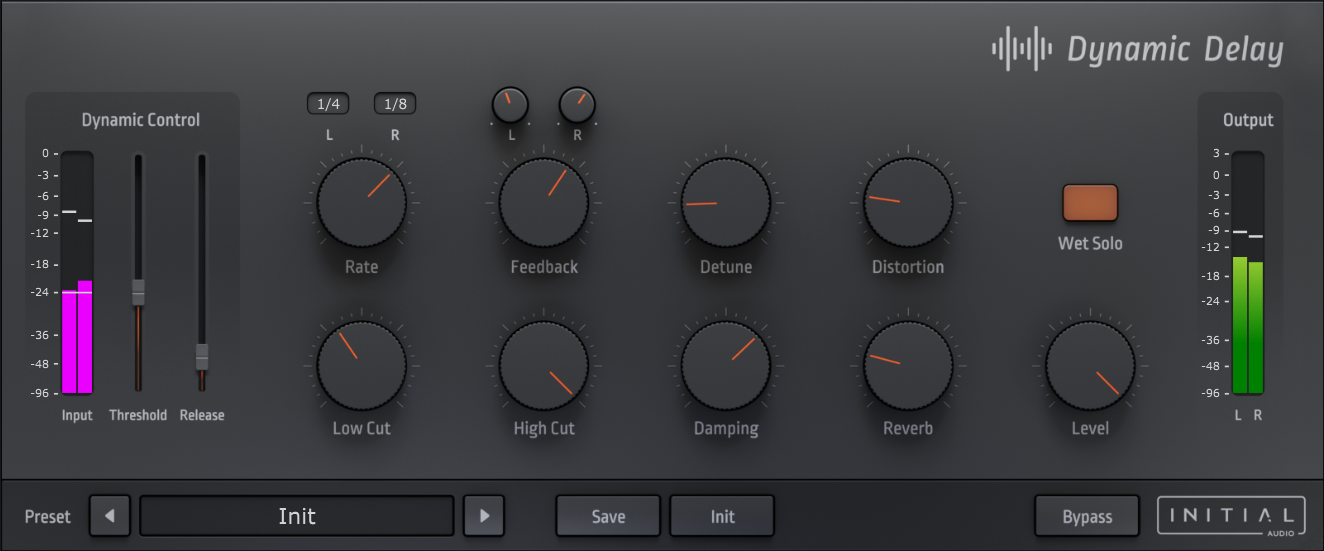
Clean. Dynamic. Smart.
Dynamic Delay is exactly what it says — a dynamic delay plugin with an internal self-ducking feature that lowers the loudness of generated delays while the input audio is playing.
Once the input goes below the threshold, the delays rise in volume and can be heard clearly. A trick many professional producers use to let sounds punch through the mix while keeping delays audible in the gaps.
Perfect for vocals. Lets the vocal shine through without competing for space with the delayed signal.
Enhance your delay lines.
High quality integrated effects — reverb, distortion, and smart ducking in one plugin.
Self-Ducking
Internal ducking lowers delay volume when the input signal is active, ensuring clarity and punch.
Reverb (AR1)
Built-in one-knob reverb based on a simplified version of our AR1 Reverb for instant space.
Distortion
Based on our Boost X saturation — dynamic harmonics to make delays stand out in the mix.
Dynamic Delay controls.
Stereo delay with ducking, detune, filters, and built-in effects — all in one resizable interface.
Dynamic Ducking: Internal self-ducking for clean mixes.
Stereo Delay: Independent control for left and right channels.
Detune: Unique algorithm adds organic pitch variation.
Filters: 36dB analog-modelled lowcut and highcut filters.
Distortion: Add harmonics to the delay tail.
HD GUI: High definition, fully resizable interface.
Hear it in action.
Watch Dynamic Delay keep vocals clear while delays fill the gaps.
Works in every major DAW.
Trusted by thousands of producers worldwide.
Try it for free.
Experience cleaner mixes with Dynamic Delay before you buy. Fully functional demo for Windows and Mac.
Ready in minutes.
Download the installer for your OS, run it, and start using self-ducking delay on your tracks. No registration required.
What producers are saying.
"Initial Audio is awesome. Some of the most powerful and enhanced sounds I have ever heard. Simply amazing."
Claude"I love my new plugin — Heat Up 3! So many sick sounds to choose from and very straightforward to install."
DontTrustM"Where do I start? 5 stars is simply not enough — they deserve 10 stars! Initial Audio is way too litt."
L.BrownFrequently Asked Questions
Is Dynamic Delay compatible with Apple Silicon?
Yes — Dynamic Delay is fully native Apple Silicon (M1/M2/M3) compatible, as well as Intel Mac and Windows.
How do I install the plugin?
After purchase, download the installer for your OS. Run the installer and it will place the VST3, AU, and AAX files in the correct system folders.
Which DAWs are supported?
Dynamic Delay works in all major DAWs such as FL Studio, Ableton Live, Logic Pro X, Cubase, Studio One, and Reason.
Cleaner delays for every mix.
One price, lifetime license. No subscription.
Dynamic Delay License
- Self-ducking stereo delay
- Built-in reverb, distortion & detune
- Windows & Mac — VST2, VST3, AU, AAX
- Instant download • 3 activations • Lifetime license
