


 2
By Initial Audio
2
By Initial Audio
Your personal AI co-producer.A new model. Trained from scratch.
Difro 2 writes MIDI with more expression, longer-term structure, and a human played feel. Play live or drop an idea. Hit Re-Imagine. No subscriptions. No waiting.
A new brain foryour MIDI.
Difro 2 is a major release. The base model was trained from scratch — more expressive, more faithful to the prompt, and much better at long-term structure and chord changes. Less repetitive. Less monotone. A more human played feel, with emotion and play style that actually transfers.
-
Brand new Difro 2 model Trained from scratch for tighter phrasing, better chord movement, and generations that stay musical over longer stretches.
-
Model picker Switch between the Difro 1 model, the new Difro 2 model, and any named Feedback models you create.
-
Named Feedback models Pick a Difro base, rate generations, and give the adapter a name. Keep several personal models and jump between them anytime.
-
MIDI Prompt Packs Prompt models are now MIDI Prompt Packs. Five new packs ship in 2.0 — Pop, Trance, Luxury Keys, Omega, Platinum Factory — and every factory pack has been rebuilt.
-
Session History Every generation and its original MIDI stays in a history view. Bookmark keepers or reload them later.
-
Faster by default, wider Mac support GPU is selected automatically when available. Free users now get 80 generations per month. macOS 12 Monterey is the new minimum.
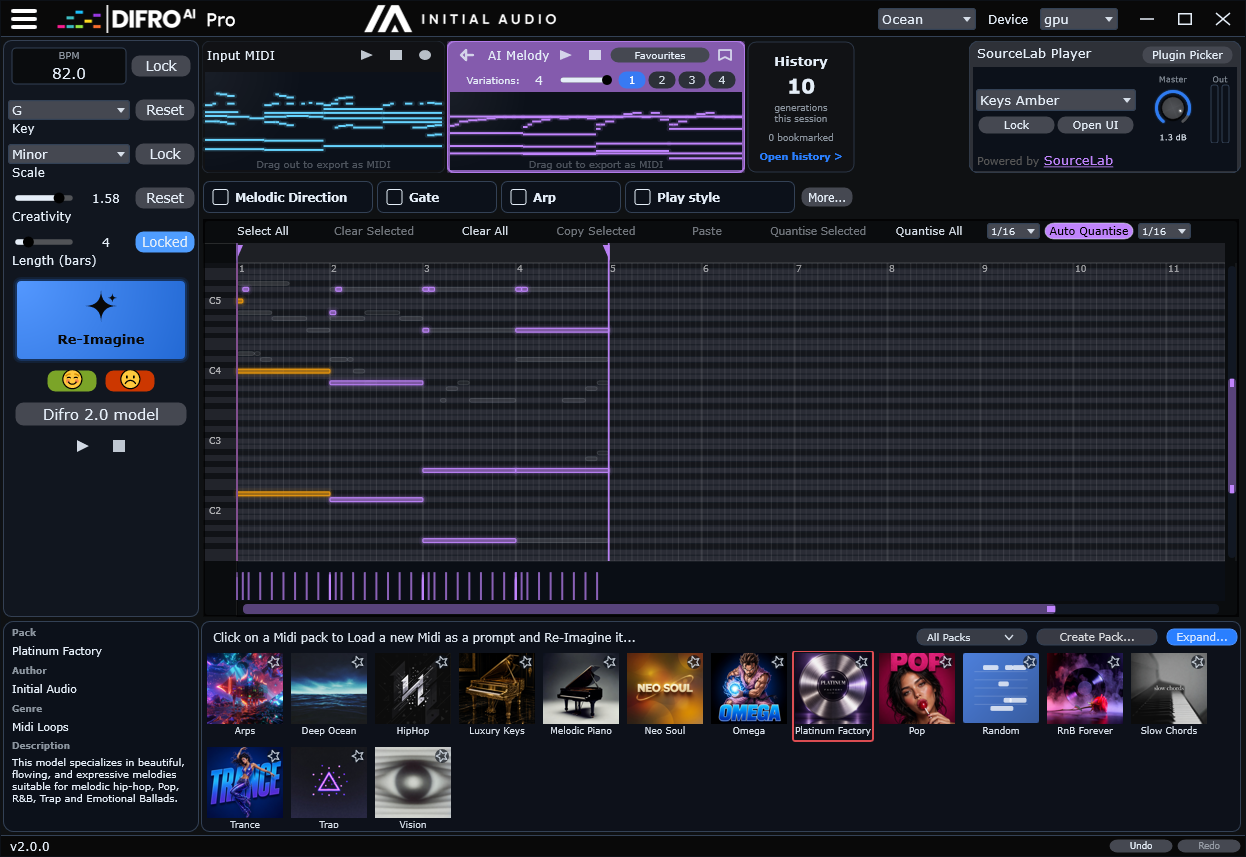
Five new packs.Every factory pack rebuilt.
Click a pack and Difro 2 starts generating from its MIDI. The whole library was overhauled for the new model — plus five brand new packs.

Pop
Radio-ready hooks and chord beds.
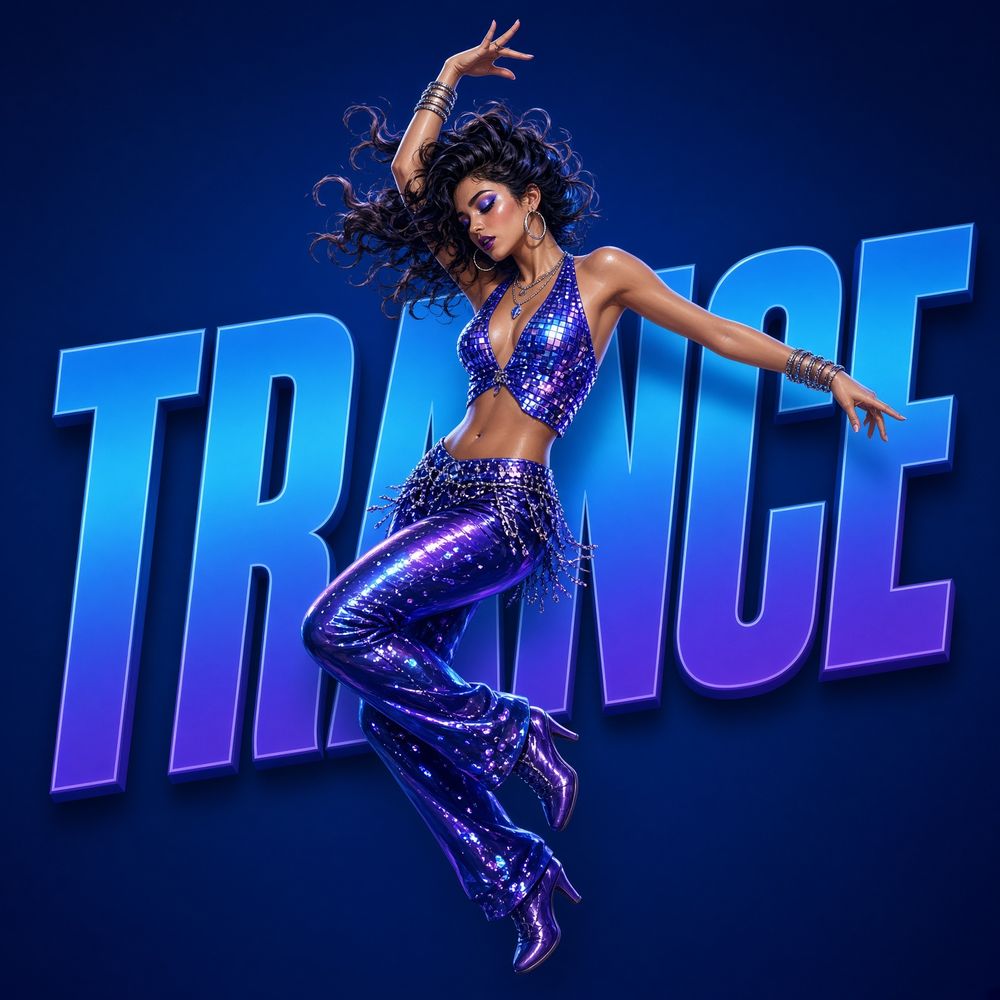
Trance
Long-form lifts and festival lines.

Luxury Keys
Lush piano and keys voicings.

Omega
Experimental retro-game melodies.

Platinum Factory
Trap and hip-hop factory heat.
See Difro 2in action.
A presentation of the new model — generations from the MIDI Prompt Packs, Re-Imagine, and the human played feel of Difro 2.
One click to unlimited new melodies.
No music theory degree required.
1. Open & Click
Difro 2 ships with a rebuilt library of MIDI Prompt Packs, plus five new ones. Open the app, click a pack, and it starts generating.
2. Play live — or drop MIDI
Hit the red record button and play into the piano roll. No MIDI file needed. Or drag one in. The AI understands what you played and builds pro variations.
3. Drag into your DAW
The new melody appears bar-by-bar in real-time. Audition it, then drag MIDI — or a rendered WAV loop — straight into Ableton, FL Studio, Logic, or Cubase.
Not a randomizer. A real musician.
Difro actually understands melody, rhythm, and chord progressions. It keeps the DNA of your original idea while creating something entirely fresh.
ReImagine Any MIDI
No MIDI file required — hit record and play live into the piano roll. Or drag in chords or an old melody. Then use the Creativity Slider to decide how far Difro should take it.
Host Your Favorite Plugins
Load Serum, Kontakt, or Omnisphere directly inside Difro. Audition your new AI melodies with your exact presets before dragging them into your DAW.
Shape it after you generate
Gate, Arp, Rhythm, and Melodic Direction apply after the notes arrive — extra variation without throwing the idea away. Arp now snaps timings to the grid.
CPU or GPU. GPU when you have it.
Difro 2 defaults to GPU when a compatible card is available, so generations start at full speed. No NVIDIA or Apple silicon? It stays in CPU mode — fully offline either way.
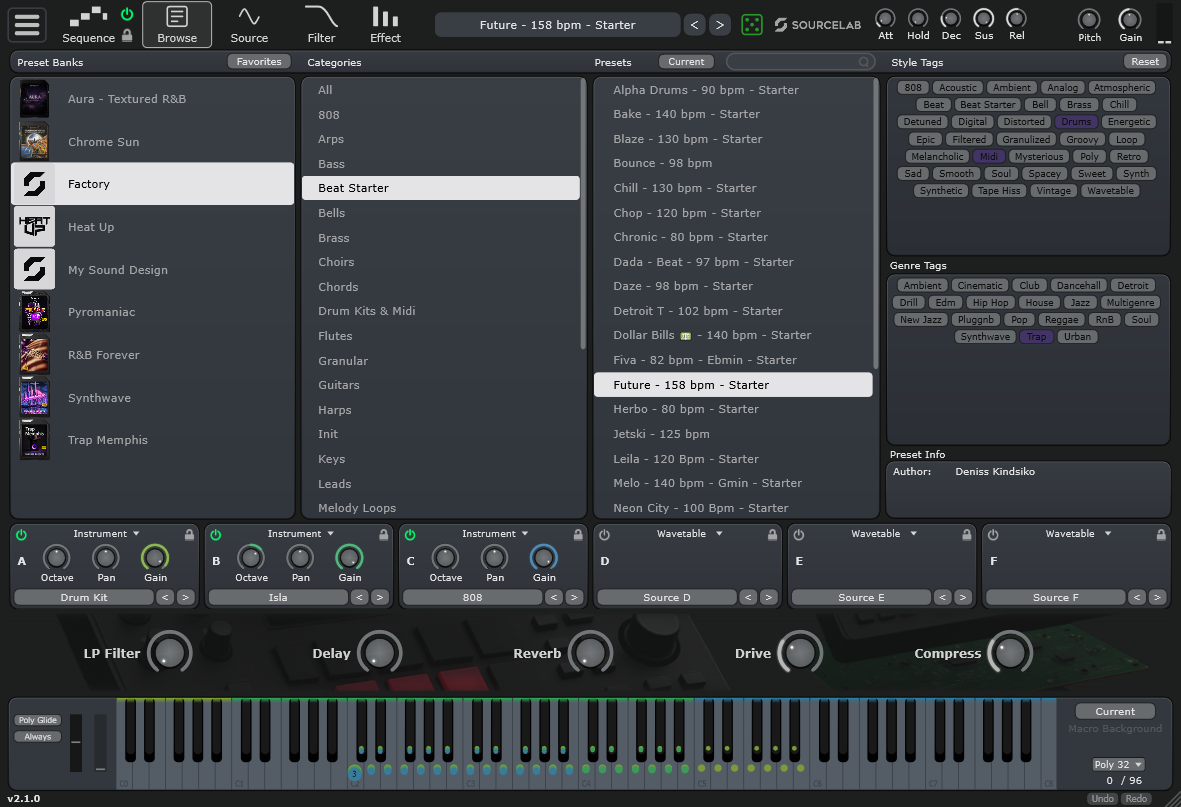
SourceLab LightBuilt Right In.
Every copy of Difro comes with a built-in Light Version of our flagship synth, SourceLab. You don't need to load external plugins to hear your creations. The player has its own UI — a simple browser and macros — while presets still work from the current menu.
- Includes 80+ high-quality SourceLab presets.
- New player UI with a simple browser and macros.
- Presets can still be selected from the current menu.
- Audition MIDI files instantly with premium sounds.
- Seamless integration inside the Difro standalone app.
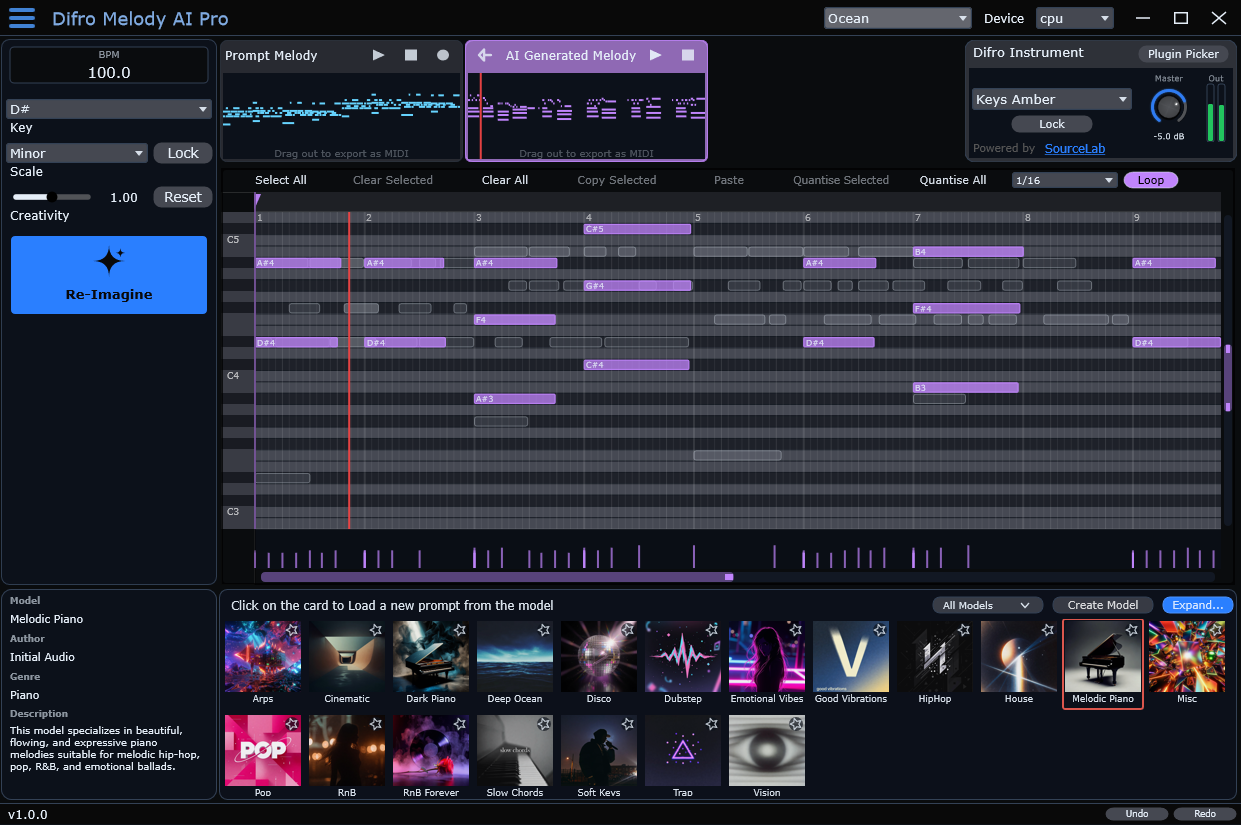
Host Your FavoritePlugins.
Load Serum, Kontakt, or Omnisphere directly inside Difro. Audition your new AI melodies with your exact presets before dragging them into your DAW.
- VST3 plugin hosting on Windows
- Audio Unit (AU) hosting on macOS
- Preview with your own presets before you export
Bounce a loop.Drag it anywhere.
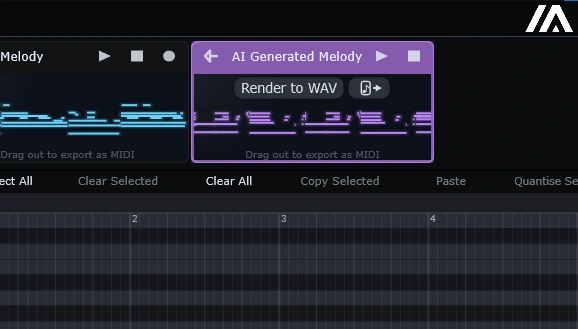
Hit Render to WAV and Difro bounces the generated melody to an audio loop. Drag the WAV to your desktop, a custom folder, or straight into your DAW as a sample. Prefer MIDI? Click the output MIDI clip right below the Render to WAV button and drag that out instead.
- Render the output MIDI to a WAV loop in one click.
- Drag the WAV to your desktop, a folder, or into your DAW as a sample.
- Drag MIDI out from the clip directly below the Render to WAV button.
An AI that adaptsto you.
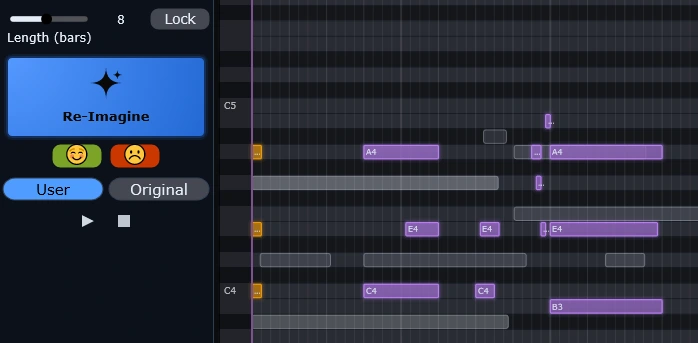
Difro 2 is not a static model. Rate a generation and name the Feedback model — a personal adapter that learns the music you actually like. Keep several named models, pick Difro 1 or Difro 2 as the base, and switch anytime. Edit the MIDI first, then rate it positive, and the adapter learns how you expect the output to look.
- Rate any output with the happy or sad face to teach Difro what you like — and what you don't.
- Name each Feedback model so you can keep several personal adapters and switch between them.
- Edit the generated MIDI in the piano roll, then rate it with the happy face so the model learns your version as the target.
- Generate with the Difro 1 model, the Difro 2 model, or any named Feedback model.
- Session History keeps every generation and the original MIDI, ready to bookmark or reload.
Create CustomMIDI Prompt Packs.
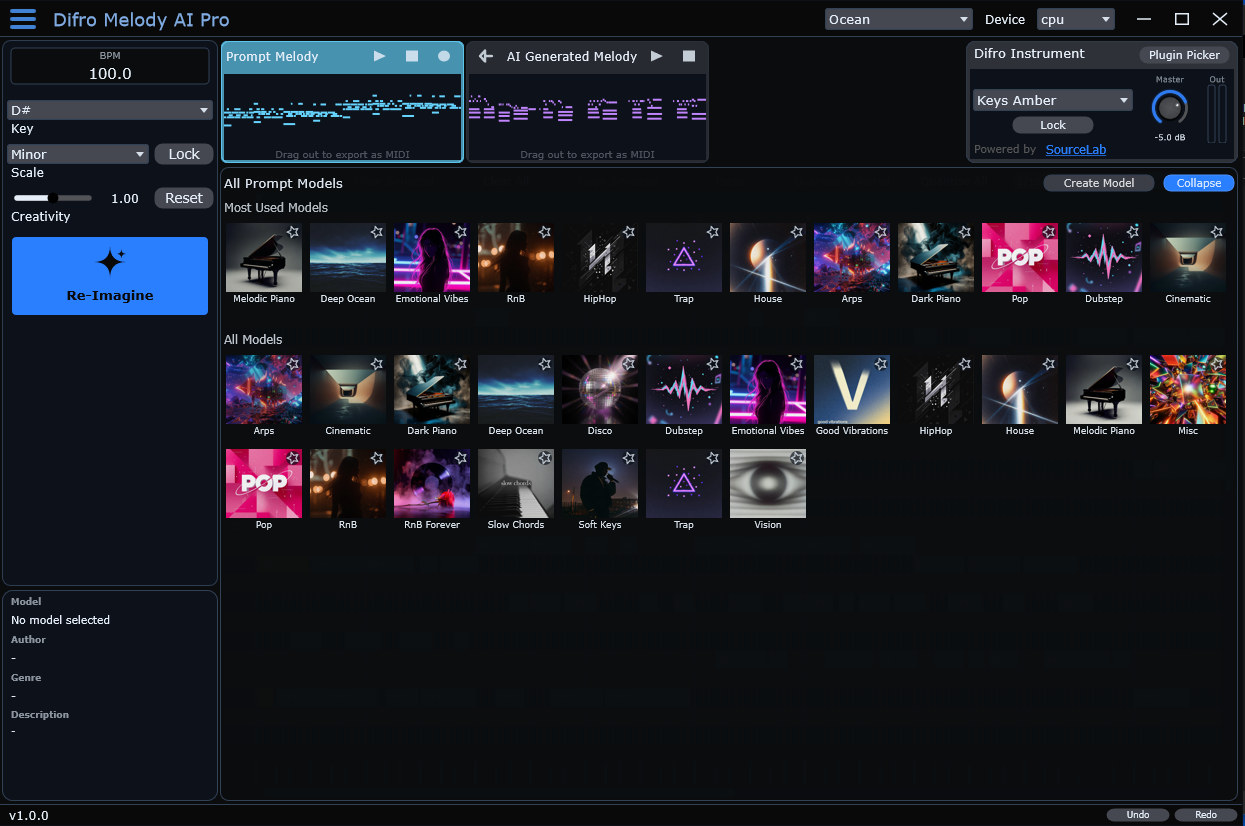
Difro 2 ships with a rebuilt factory library and five new MIDI Prompt Packs. Want your own? Drop MIDI files into a folder — as many as you like, there's no limit — and Difro uses them as input prompts to generate variations in your exact style.
- Clicking a pack never repeats the same MIDI as the last pick.
- Right-click a pack card and choose Open model folder… to add or delete MIDI on your hard drive.
- Assign specific built-in SourceLab presets to your custom packs.
- 100% private — everything runs locally on your machine.
- Share your custom pack folders with the community.
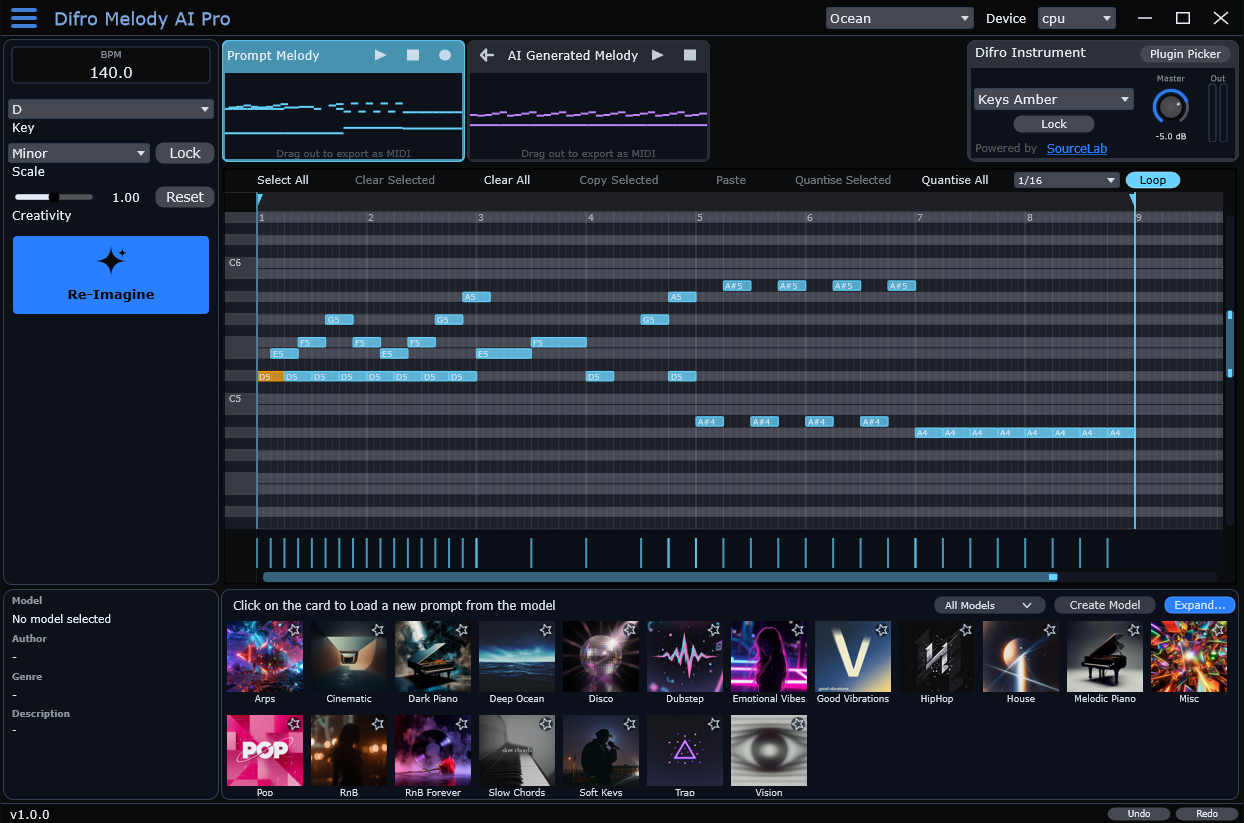
Make It Yours. Multiple Skins Included.
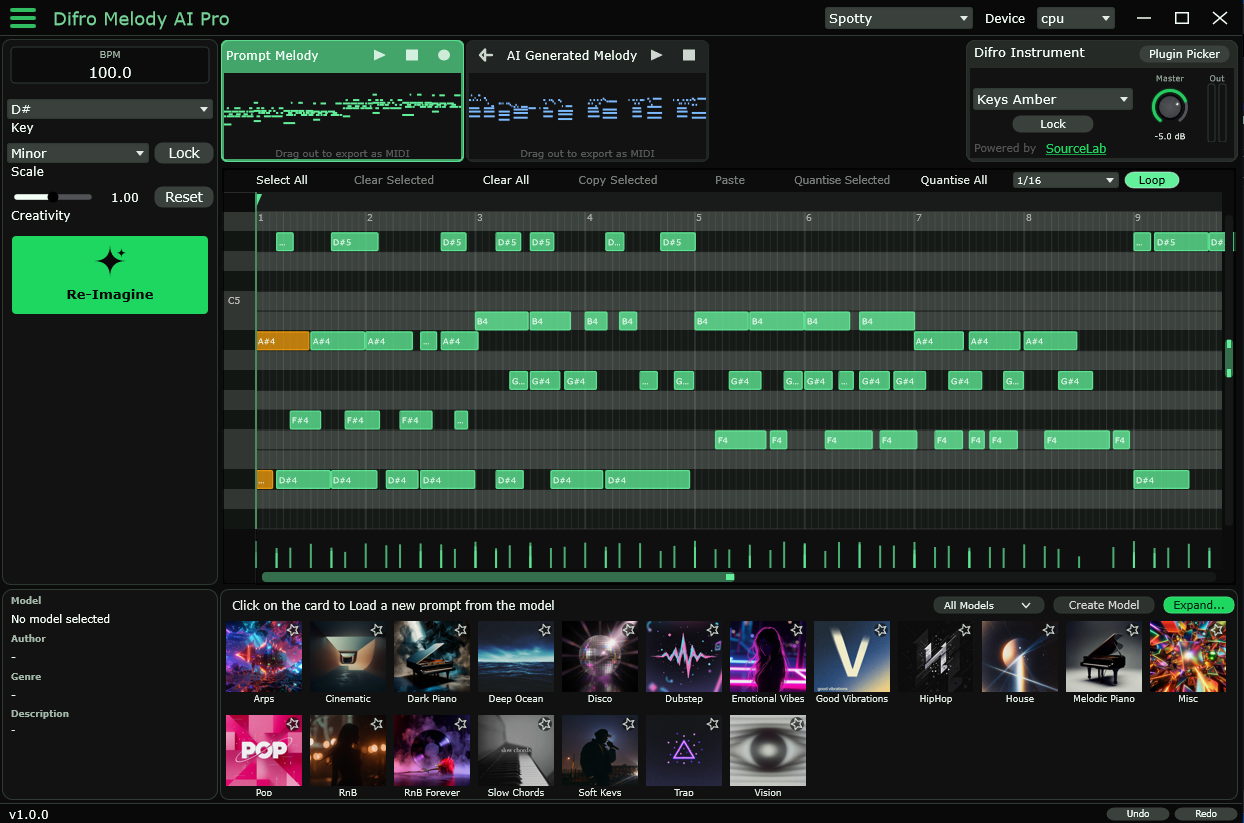
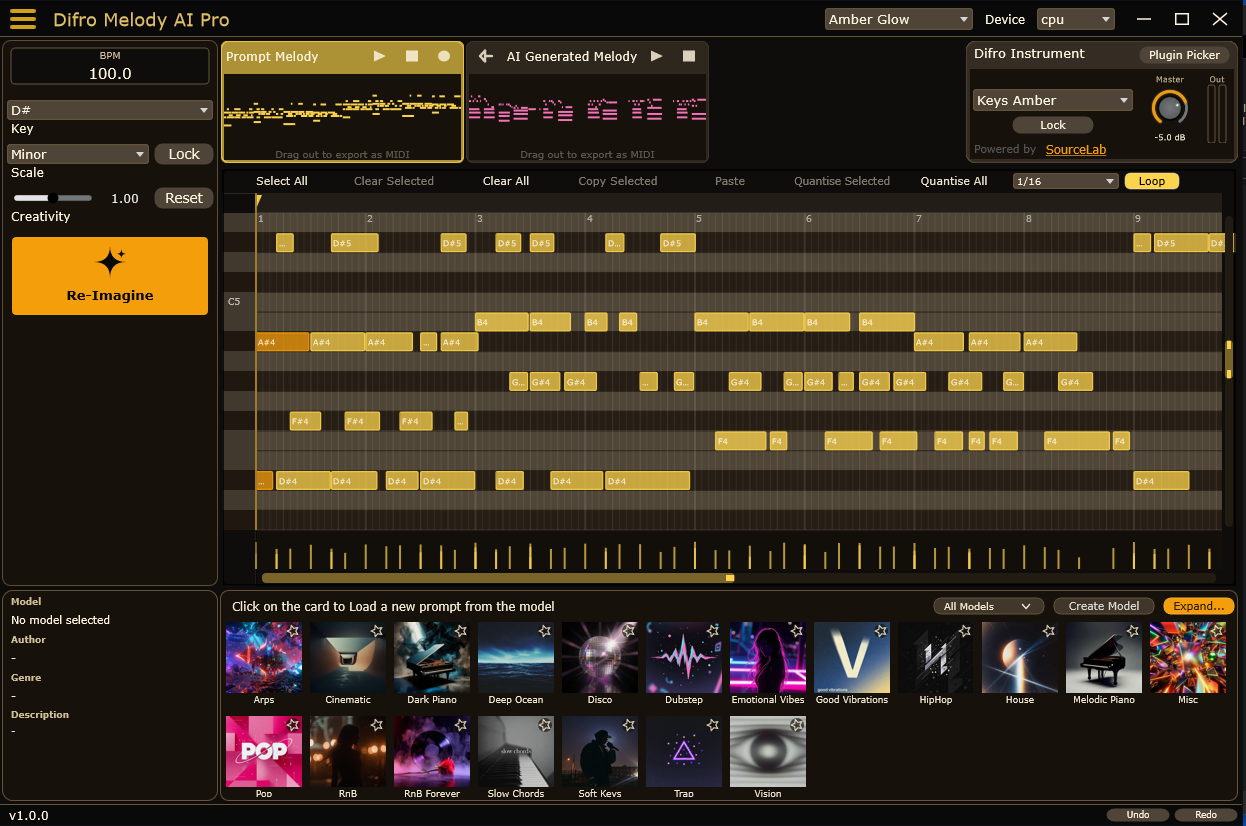
The LLM ofMIDI.
Powered by a bleeding-edge combination of Variational Autoencoders (VAEs) and Transformer technology. True next-gen AI built directly into your local workflow.
Extracting the DNA
When you feed a MIDI clip into Difro, the VAE absorbs the soul of your idea, encoding it into a rich latent space - a multidimensional map of rhythm, contour, and harmonic movement.
Transformer Architecture
Just like an LLM predicts the next word, Difro predicts the perfect next note. It tracks long-range musical relationships, stringing together rhythms with human coherence.
Real-Time, Local Processing
Hyper-optimized to run locally on your CPU, with optional GPU acceleration. No cloud servers, no waiting. The neural network predicts notes so fast you hear the fresh melody stream directly.
CPU or GPU. Difro 2 defaults to GPU when a compatible NVIDIA card (Windows) or Apple silicon GPU (Mac) is available. Switch anytime from the top-right corner. No GPU? It runs in CPU mode — no extra hardware required.
No Subscriptions. Just Inspiration.
Download the app, host your plugins, and drag MIDI or a rendered WAV loop straight to your DAW.
Difro Free
Perfect to test the waters. Resets monthly.
- 80 Generations per month
- MIDI Prompt Packs (5 new + rebuilt library)
- ReImagine & Transform Modes
- VST3 / AU Plugin Hosting
- Unlimited Generations
- Create Custom Models
Difro Pro
One-time payment. Yours forever.
- Unlimited Generations
- Create Custom Models
- MIDI Prompt Packs (5 new + rebuilt library)
- ReImagine & Transform Modes
- 100% Royalty Free
- Lifetime Updates
Difro 2. The MIDI GPT, retrained.
Runs locally on your CPU or GPU. No cloud. No API bills. Ever.
The hard truth about "AI" music tools.Difro is the real thing.
A lot of so-called AI melody tools are not AI at all — the label sells, but under the hood it's mostly algorithms. Random note generators, rigid rule systems, or cheap cloud APIs with terrible output, strict limits, and fees that never stop. Difro is built differently: a real VAE + Transformer stack, running locally on your CPU or GPU, with no internet required and no ongoing costs.
What many tools actually are
- "AI" branding on top of basic randomization
- Requires a constant internet connection
- API usage fees and hard generation caps
- Output that ignores your chords and groove
- Your MIDI sent to third-party servers
What Difro actually runs
- Variational Autoencoder + Transformer neural net
- 100% offline — GPU by default when available
- One-time purchase, zero API bills
- Understands melody, rhythm & harmony
- Private — nothing leaves your machine
1. Extracting the DNA
When you feed MIDI into Difro, the VAE doesn't just read note data. It encodes the musical soul of your idea — rhythm, contour, and harmonic movement — into a rich latent space.
2. Transformer architecture
Just like ChatGPT predicts the next word, Difro's Transformer predicts the next note. It tracks long-range musical relationships and strings together phrases with human coherence.
3. Real-time, local inference
The entire model runs on your machine — GPU by default if you have NVIDIA on Windows or Apple silicon on Mac, otherwise CPU. No cloud queue, no upload step. You hear fresh melodies stream in real time, bar by bar.
To our knowledge, Difro is the world's first real MIDI GPT — a locally running generative AI that produces outstanding musical output without an internet connection or recurring costs. Think of it as a language model, but for MIDI.
