


Dynamic EQ 2Surgical Precision. Dynamic Control.
Stop automating static EQs. Dynamic EQ 2 introduces intelligent multiband dynamics and a revolutionary inter-instance workflow that lets your tracks mix themselves.
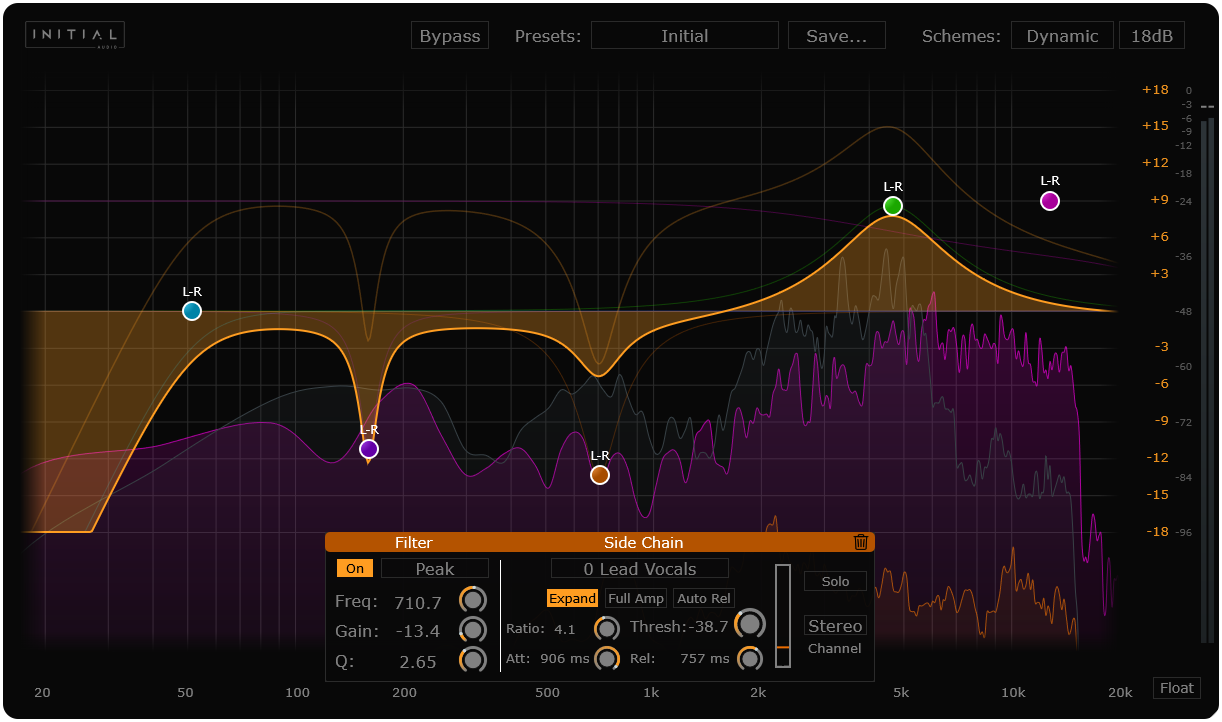
Static EQs never change.Your music always does.
Static EQs apply the same cut or boost forever. Dynamic EQ 2 reacts only when it needs to — keeping warmth, clarity, and punch intact.
❌ Standard EQ
- Cutting low-mids removes warmth even when it's needed.
- High-end boosts make sibilance painful.
- Requires tedious automation to fit vocals in the mix.
- Can't react to other instruments.
✅ Dynamic EQ 2
- Cuts mud only when it builds up.
- Boosts air but automatically clamps down on harsh "S" sounds.
- "Listens" to the vocal and ducks the guitar automatically.
- Maintains the natural body of the sound.
Built for the modern producer's workflow.
From inter-instance sidechaining to Mid/Side precision — everything you need for surgical, transparent mixing.
Inter-Instance Sidechain
The standout feature. Instances of Dynamic EQ 2 communicate across your DAW. Load one on your Kick, one on your Bass. The Bass instance can now "see" the Kick signal and duck specific frequencies automatically. No complex routing required.
Full Amp Mode
Toggle between frequency-dependent dynamic key input mode for targeted EQ adjustments or Full Amp mode, which uses the overall signal level to trigger compression.
Mid/Side Precision
Switch any band to Stereo, Mid, Side, Left, or Right. Perfect for mastering to keep the center mono-focused while widening the highs.
Filter Types
Zero-cramping filters including Low/High Cut, Peak, Shelf, and Tilt. Designed to be pushed hard without digital harshness.
13 Visual Skins
Customize the look to fit your vibe. From clean flat designs to high-contrast dark modes, scalable to 4K screens.
Sidechaining used to be annoying.Now it's three clicks.
Load Plugin
Add Dynamic EQ 2 to your Vocal track (Source) and your Guitar Bus (Target).
Select Source
On the Guitar Bus instance, select "Vocal" from the internal sidechain dropdown menu.
Mix
Create a band on the Guitar at the frequency you want to duck or expand. It reacts only when the Vocal is singing.
Built for every stage of production.
Whether you are producing a beat, mixing vocals, or mastering the final track.
🎤 Vocal Mixing
De-ess smoothly without lisping. Add body to thin vocals that only engages when the singer hits low notes.
🥁 Drums & Bass
The ultimate Kick/Bass glue. Carve a hole in the bass line at 60Hz that triggers instantly every time the kick drum hits.
🎚 Mastering
Control resonances. If a mix is too bright only during the chorus, use a high-shelf dynamic cut to tame it transparently.
See it in action.
Frequently Asked Questions
Does it support Apple Silicon?
Yes, Dynamic EQ 2 is fully native for Apple Silicon (M1/M2/M3) as well as Intel Macs.
Is the update free for V1 users?
Yes! 😎
Can I use it for Mastering?
Absolutely. With Oversampling enabled and linear-phase-like response, it is clean enough for the master bus.
Is the Installation complicated?
No, Dynamic EQ features an easy-to-use one-click setup that takes just seconds to complete.
Upgrade your mix workflowwith surgical precision.
One price, lifetime license. No subscription.
Dynamic EQ 2 License
- Intelligent multiband dynamics
- Inter-instance sidechain across your DAW
- 16 bands • Mid/Side • Oversampling 2x
- Windows & Mac — VST3, AU, AAX
