


Boost XSmart Saturation Plugin.
A smart saturation and overdrive plugin that brings warmth and depth to your sound. Reacts dynamically to your audio for perfect harmonics every time.
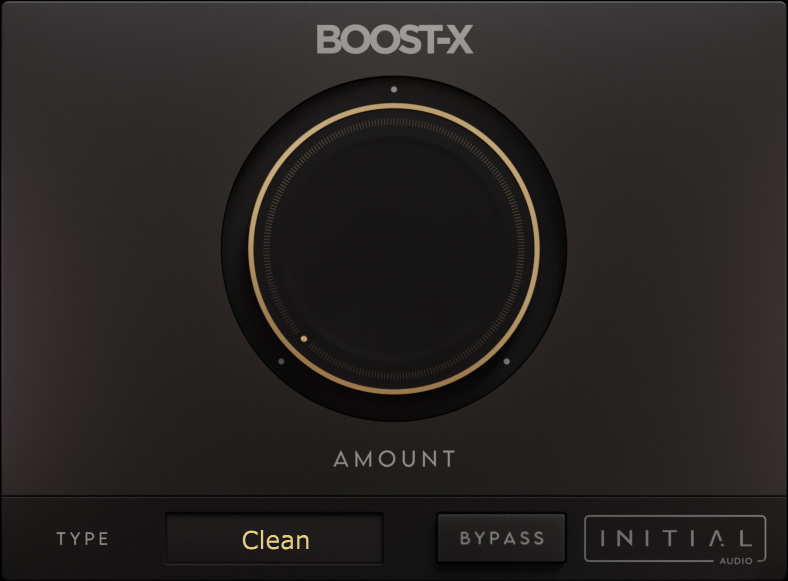
Smart dynamic saturation.
Boost X is a dynamic and smart saturation/overdrive plugin used to make any sound warmer by adding extra harmonics.
Unlike static saturation plugins that are either on or off based on a threshold, Boost X reacts to the input audio. It applies the perfect amount of saturation at the current loudness — even quiet sounds get rich overdrive without needing a gain boost.
True analog warmth. Compensates for perceived loudness while balancing your mix and adding depth to vocals and instruments.
Designed for maximum quality.
Maximum quality and ease of use — rich harmonics without destroying your mix.
Smart Response
Stateful saturation algorithm that dynamically responds to the input signal for organic, breathing texture.
16x Oversampling
Up to 16 times oversampling for maximum aliasing suppression and the highest quality sound.
7 Types
Choose from 7 different saturation types to find the perfect character for your track.
Everything you need for warmth.
Dynamic saturation, smart loudness compensation, and high-fidelity processing in one plugin.
Dynamic Saturation: Reacts to input signal level for organic results.
Smart Gain: Compensates for perceived loudness changes.
Harmonics: Adds rich depth and warmth to any source.
16x Oversampling: High-fidelity processing with minimal aliasing.
7 Saturation Modes: Versatile tone shaping options.
HD GUI: High definition, fully resizable interface.
Works in every major DAW.
Trusted by thousands of producers worldwide.
Try it for free.
Experience the warmth of Boost X before you buy. Fully functional demo for Windows and Mac.
Ready in minutes.
Download the installer for your OS, run it, and start adding warmth to your mix. No registration required.
What producers are saying.
"Just copped this badass plugin from Initial Audio Tools! Tried it once and it provided me with impressive results!"
Royces_2xr"Initial Audio Plugins are always on point and has something for every genre of music. I use them in all my beats."
ArpeggioBro"You guys ability not only to produce hot tracks for your ads but deliver some top quality VSTs and FX plugins are hands down in the industry."
Jamarr "JayFloPro" FloydFrequently Asked Questions
Is Boost X compatible with Apple Silicon?
Yes — Boost X is fully native Apple Silicon (M1/M2/M3) compatible, as well as Intel Mac and Windows.
How do I install the plugin?
After purchase, download the installer for your OS. Run the installer and it will place the VST3, AU, and AAX files in the correct system folders.
Which DAWs are supported?
Boost X works in all major DAWs such as FL Studio, Ableton Live, Logic Pro X, Cubase, Studio One, and Reason.
Dynamic warmth for every track.
One price, lifetime license. No subscription.
Boost X License
Was $79
- Dynamic smart saturation & overdrive
- 7 saturation types • 16x oversampling
- Windows & Mac — VST2, VST3, AU, AAX
- Instant download • 3 activations • Lifetime license
